
PhoneClean
Developer: iMobie Inc
5 (1)-
 Windows
-
 Mac OS

Choose a platform
Overview
Introduction
PhoneClean is a comprehensive software solution designed to optimise and clean iOS devices to keep them running smoothly and efficiently. Developed by iMobie Inc., PhoneClean offers users a number of tools to remove junk files, free up space and improve the overall performance of iPhones and iPads. Let's take a look at the main features and answer common questions about PhoneClean.
Key features
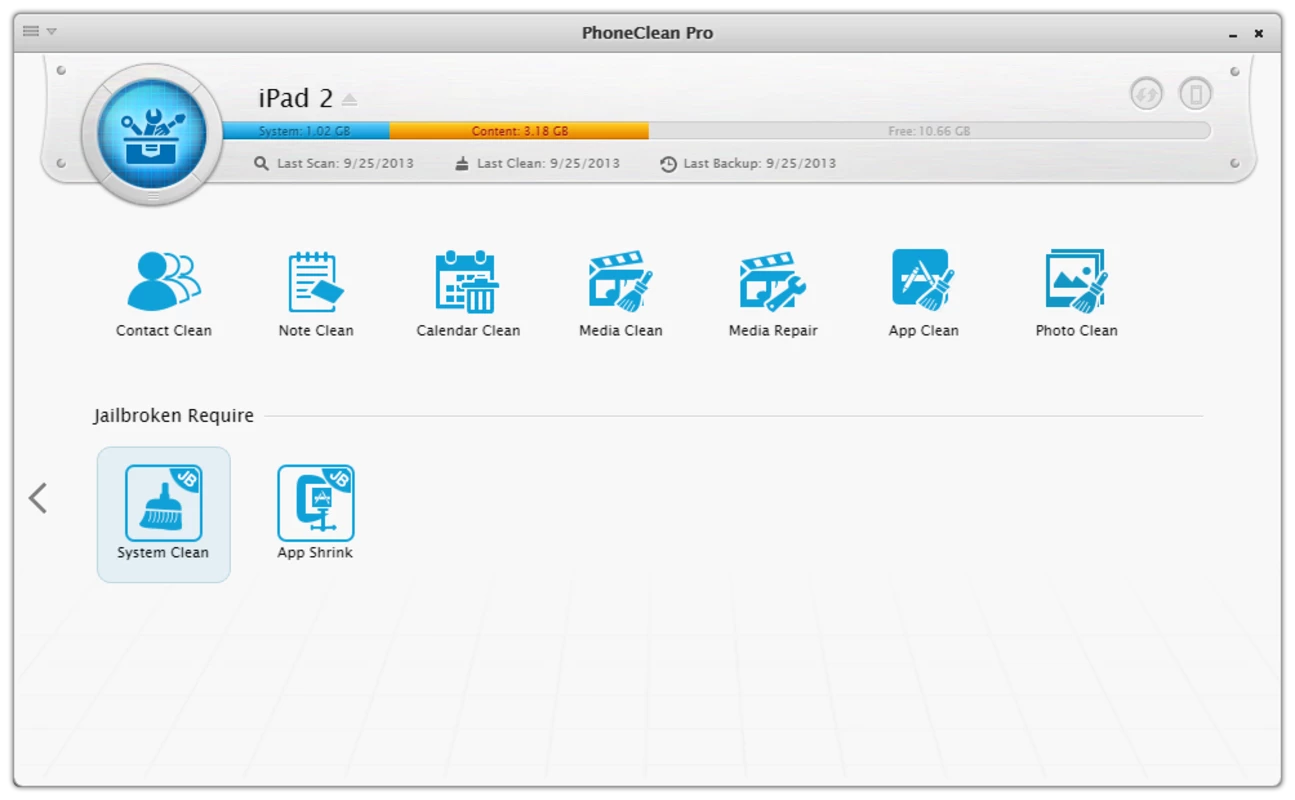
- Clean Unwanted Files: PhoneClean scans and removes unnecessary unwanted files such as temporary files, app cache and system logs, freeing up valuable space on iOS devices.
- Privacy Protection: The software helps users protect their privacy by securely deleting sensitive data including call history, messages and browsing history.
- App Manager: PhoneClean allows users to manage their apps more efficiently by providing batch removal of unwanted apps and associated data.
- Photo Cleanup: Users can optimise their photo libraries by identifying and removing redundant or duplicate images, thereby saving space.
PhoneClean has a user-friendly interface, making it accessible to users with any technical background. The simple design and step-by-step guidance ensure convenient and efficient operation.
Conclusion
PhoneClean, developed by iMobie Inc. is a valuable tool for iOS users looking to optimise the performance of their devices. With features such as cleaning unwanted files, privacy protection and app management, PhoneClean is a comprehensive solution for keeping iOS running efficiently and clutter-free. Whether you're looking to free up storage space or increase your device's privacy, PhoneClean offers a convenient and effective iOS optimisation solution.
Features
Pros
- iOS Cleaning
- Intuitive Interface
- Junk File Removal
- Privacy Protection
- App Management
Cons
- No Android Support
Screenshots
Ask a Question
Is it safe to use PhoneClean?
Yes, it is considered safe to use. To ensure security, users should download it from an official source or reputable repositories.
How does it free up memory space?
PhoneClean identifies and removes junk files such as temporary files, app cache and system logs to free up storage space on iOS devices.
Does it work for the iPad as well?
Yes, compatible with both iPhone and iPad, offering optimisation solutions for a range of iOS devices.
Is it possible to customise the cleaning process in PhoneClean?
Yes, provides customisation options, allowing users to select specific file types to clean and optimise.
Does PhoneClean require a backup before cleaning?
Although PhoneClean is designed to be safe, it is always recommended to have a recent backup of your iOS device before performing any cleaning or optimisation tasks.
Similar programs
-
 AZAR - Random Video Chat Hyperconnect LLC
5 (2) Free 100 863
Android, iOS
View AZAR - Random Video Chat -
 Andy ANDYOS INC
5 (1) Free 7 771
Windows
View Andy -
 DuckStation Stenzek
4.5 (2) Free 110 562
Windows, Mac OS, Android
View DuckStation -
 PUBG MOBILE Tencent PUBG
5 (1) Free 84 126
Android, iOS
View PUBG MOBILE


